

Hi all,
Jay from Shadow here.
Last time, Shadow learned how to see with Smart Screenshots automatically capturing your screen alongside your conversations.
Starting today, Shadow goes further: it doesn't just capture it understands what you see in meetings.
- Need clarification on a chart that's being shared? Shadow can explain it.
- A doc is on your screen and someone asks a question? Shadow connects the dots instantly.
- Reviewing specs or designs live? Shadow helps you understand them on the spot.
How to use it
During meetings
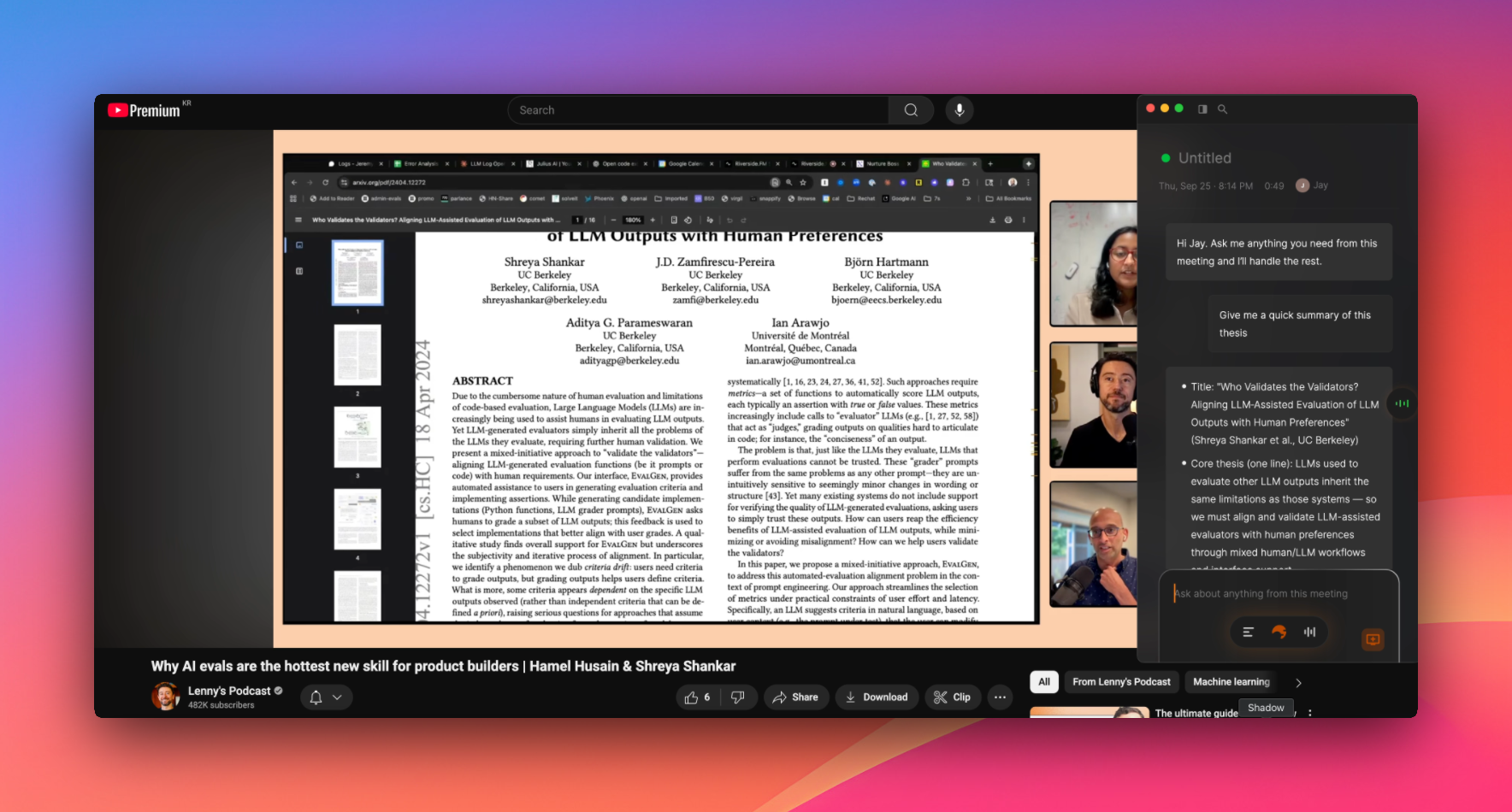
Toggle the button at the bottom right of your screen. From then on, Shadow will automatically understand what you're seeing in real time.
After meetings
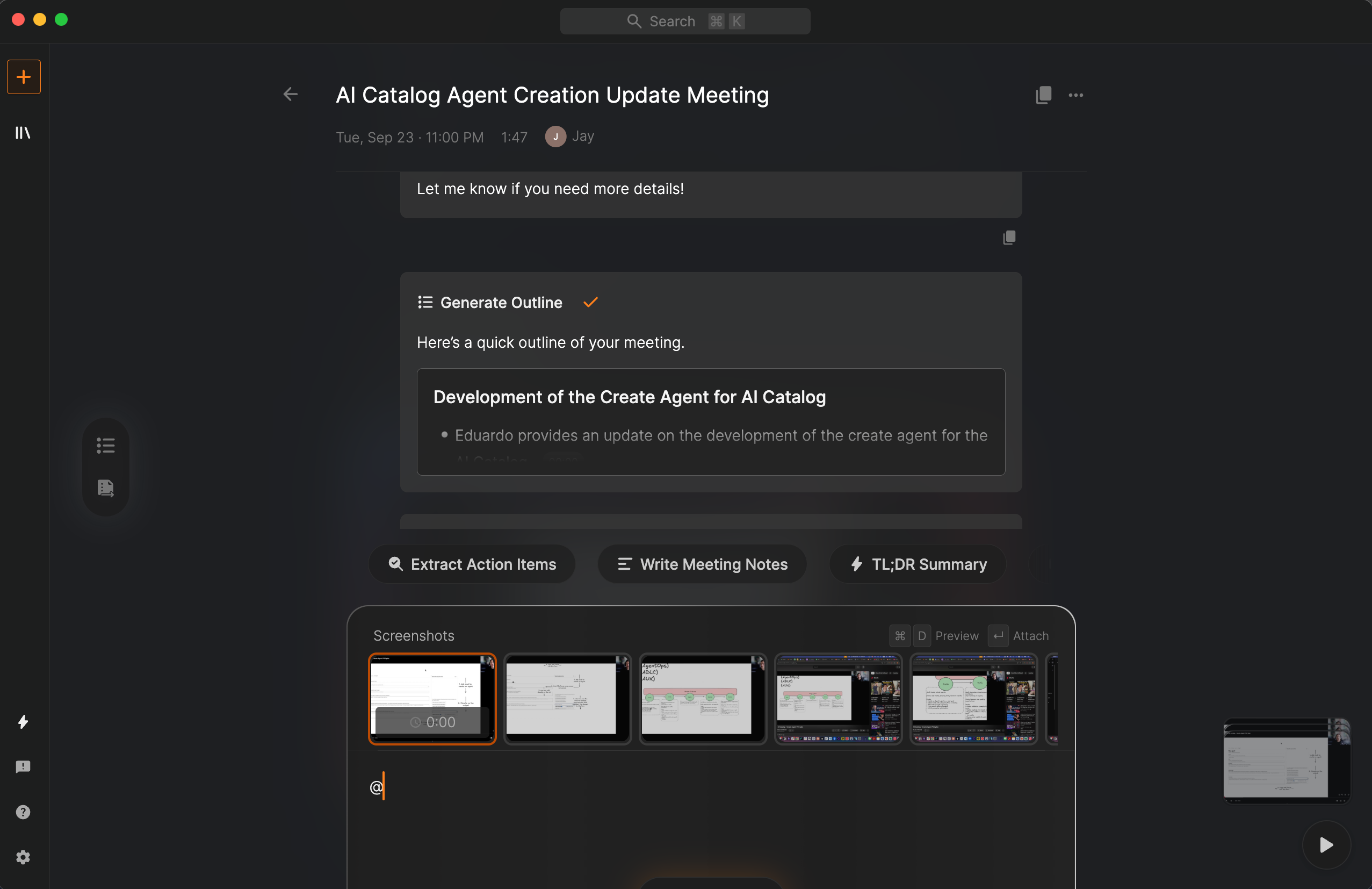
Type @ and pick what you want Shadow to reference when asking questions.
More Polished All Around
This release also brings many under-the-hood improvements including fixing the long-standing English-only mode. Shadow now works seamlessly across multiple languages.
This update makes Shadow your active partner in the meeting seeing, hearing, and understanding as things unfold.
Thanks again for being on this journey with us.
Questions or feedback? Always happy to hear from you.
Best,
Jay - Founder and CEO of Shadow